

According to the latest figures from Symplur’s Healthcare Hashtag Project, there are 9,130 participants taking part in over 100 healthcare chats each week on Twitter. Twitter hashtags range from disease specific chats to health innovation and healthcare conferences. Many of these Twitter chats rely on TweetChat to help manage the conversations.
According to the latest figures from Symplur’s Healthcare Hashtag Project, there are 9,130 participants taking part in over 100 healthcare chats each week on Twitter. Twitter hashtags range from disease specific chats to health innovation and healthcare conferences. Many of these Twitter chats rely on TweetChat to help manage the conversations. So, the news this week that TweetChat will most likely have to discontinue their service on June 11 due to new Twitter API changes, was met with a collective cry of dismay from healthcare Tweet chat moderators.
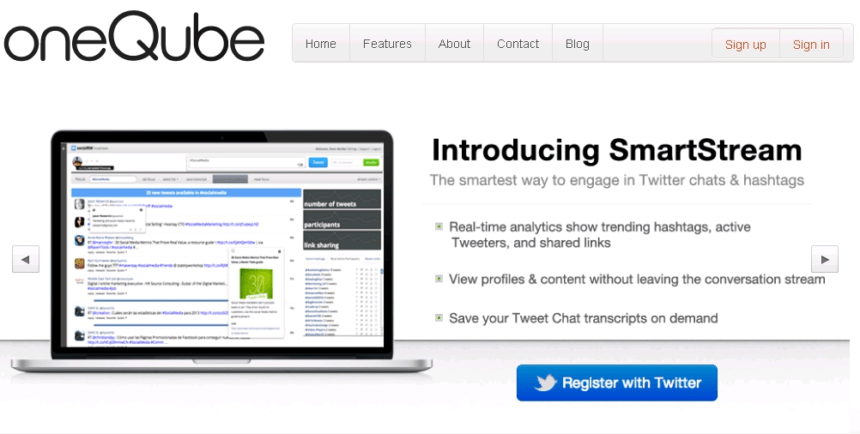
Thankfully an alternative Twitter chat tool has emerged in the form of oneQube SmartStream.
“SmartStream will allow the tens of thousands of weekly Twitter chat participants to engage in their favorite Twitter chats with ease. In addition to sharing similar functionality with the Twitter chat platform of choice – TweetChat – oneQube SmartStream will offer chatters some new features we think will enhance their Twitter chat experience.” – Internet Media Labs

So how do you set up SmartStream for your next healthcare Tweet chat? Read on for a step-by-step guide to SmartStream and how to get the most from its features.
1. Log onto oneQube.com and click on the blue “Register with Twitter” button on the homepage.
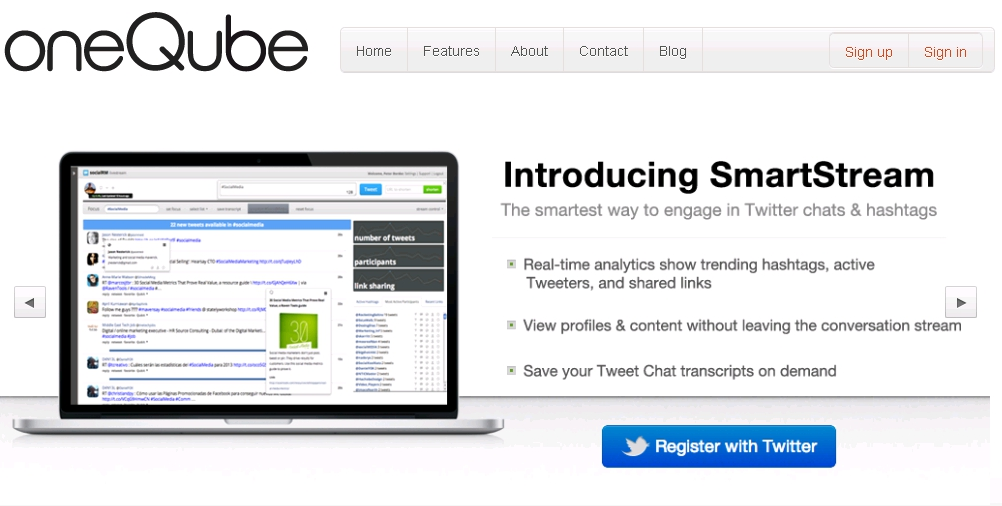
2. Authorize your Twitter account.
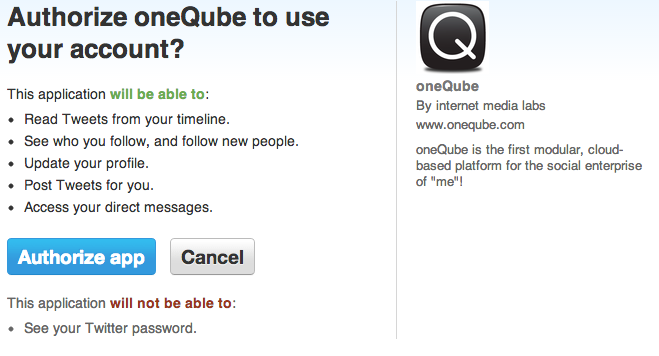
3. Create your oneQube account.
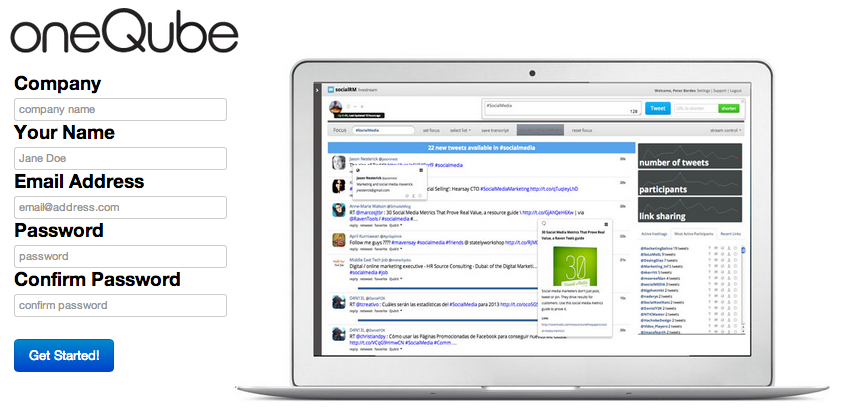
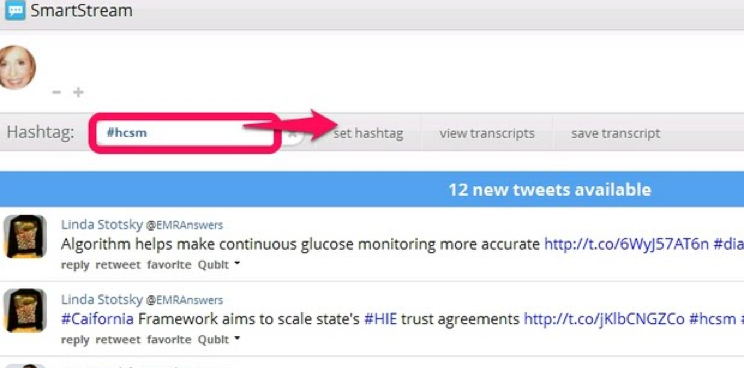
4. You are now ready to start using SmartStream. In the example below I have entered the popular #hcsm hashtag. By clicking “set hashtag” I am now in chat mode.
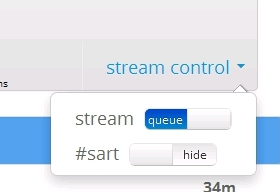
5. There are two ways you can view the chat stream: Queue or Stream mode (the default user setting is queue mode).
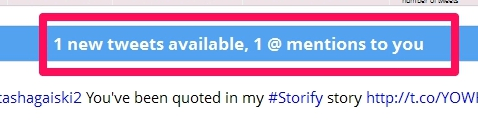
In queue mode, Tweets will “queue” up similar to how they do in native Twitter or Hootsuite. The blue counter bar at the top will indicate how many Tweets are waiting for you to view. Click on the blue bar to release the Tweets. I really like the line separator feature which shows you where you last released Tweets into the stream, making it easy for you to keep track of your place in the chat.
To change to stream mode, click on stream control in the right corner of the navigation bar. Slide the stream button from right to left, and you will now be in stream mode. Tweets will load as they are presented, and in very fast chats, this mode may be hard to follow so for a very active chat with a high volume of Tweets per minute, queue mode is recommended.
6. You can participate in a Twitter chat in one of three ways: Tweet directly into the stream, RT with comment, or reply to all.

To retweet or retweet with additional comment, just click on “retweet” under any tweet, and the tweet will auto-populate the box. Add your comment or RT as is. If you reply to a tweet that has multiple handles in it, they will all be included in the response.
You will notice that the Tweet box is at the bottom of the page. You can click and drag it anywhere you like on the page. I find putting it at the top of the chat stream makes for better ease of use.
7. To highlight a particular chat participant, click on “qubit” below a Tweet and click “Highlight”.

These tweets will now be tagged for the duration of the chat.
8. When someone Tweets @you, or you are mentioned in a Tweet, those tweets will be highlighted in BLUE.
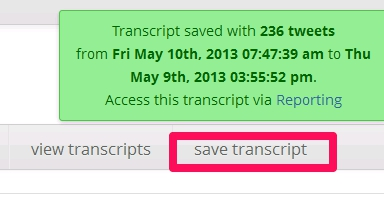
9. To save a Chat transcript, click on “Save Transcript” in the navigation bar. A green confirmation window will be displayed. (At the moment you cannot share or export the transcript).
So far I am converted to SmartStream’s functionality and added features and look forward to using it for my regular healthcare Tweet chats. But a word of caution – it’s easy to get carried away with exploring all these great features which can distract you from the chat. My advice to chat moderators is to join some Tweet chats as a guest first and try out SmartStream at your own pace before you attempt to moderate a chat on your own using the tool.
Finally, Robert Moore, the founder of Internet Media Labs, is a very friendly and helpful guy who is happy to answer your questions on SmartStream. You can find him on Twitter @MediaLabRat.
Will you be trying out SmartStream for your next healthcare Tweet chat? Do let us know how it works out for you.