
You juggle bookings, follow-ups, and records while keeping your day steady. Medical CRM keeps patient messages, forms, and reminders in one place. In an American clinic, it helps care stay smooth, even on busy mornings.
- How Does a Medical CRM Software Work for clinics, medspas, and telehealth?
- Benefits of Employing a Medical CRM Software for clinics, medspas, and telehealth
- Fewer no-shows and smoother scheduling
- One clean patient record across every channel
- Less admin work through workflow automation
- Stronger privacy controls for American healthcare
- How to choose the best medical CRM software for American clinics, medspas, and telehealth?
In a medspa, it tracks new leads, consent, photos, and aftercare notes. For telehealth, it connects visits, secure chats, and billing across states. It also supports privacy steps that fit HIPAA and local health rules.
This guide shows key features, simple setup moves, and quick wins. Your team sees the next task fast, so patients feel seen and safe.
How Does a Medical CRM Software Work for clinics, medspas, and telehealth?
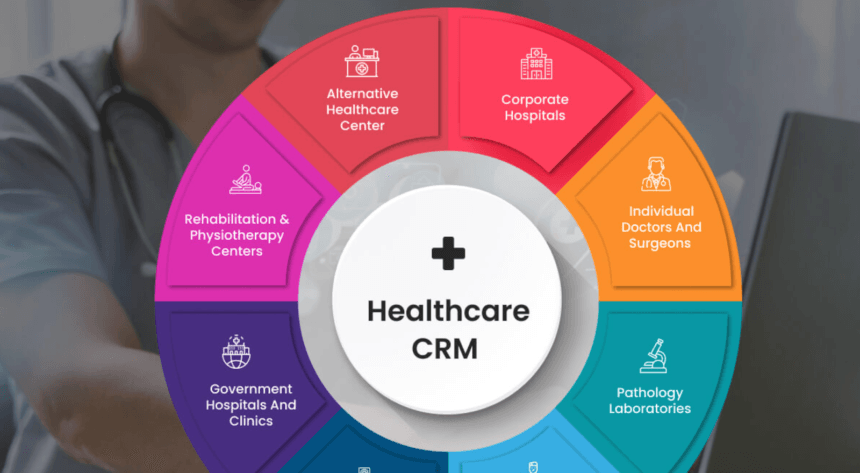
A medical CRM acts like a front desk brain for your whole practice. It stores contacts, visit notes, and preferences in one tidy place. When someone calls, you see their history before you even answer. Online forms go out by email or text, then save to profiles.
Scheduling links to your calendar, so double bookings stop happening during busy weeks. Reminders nudge people to confirm, reschedule, or join a telehealth visit. After the visit, tasks pop up for staff, like lab follow-ups.
For medspas, it tracks consent, photos, packages, and aftercare check-ins. For clinics, it logs referrals, care plans, and next steps. For telehealth, it keeps messages, links, and visit notes together. You also see reports, like no-show rates and busiest appointment times.
In the US, good systems lock access by role, and record every change. If you run multiple locations, you can share templates and still stay local.
Benefits of Employing a Medical CRM Software for clinics, medspas, and telehealth
Medical CRM Software keeps your day steady when patients message from everywhere. It also helps you deliver the same care in-clinic and online.
Fewer no-shows and smoother scheduling
No-shows punch a hole in your schedule, then the day feels rushed. A CRM sends reminders by text or email, at the right moment. Confirm links make it easy, so people tap once and done. If someone cancels, a waitlist text can fill that slot quickly.
For medspas, deposits and package rules can be saved by treatment type. You also spot patterns, like Friday nights doing better than mornings. Then you tweak hours and reminders, and the calendar behaves accordingly.
One clean patient record across every channel
Details slip when chat lives in phones, inboxes, and sticky notes. A CRM pulls texts, forms, notes, and tags into one clean profile. So when you pick up a call, you see the last touchpoint. Telehealth links, summaries, and follow-up steps stay together after each visit.
Medspas can store consent, photos, and product notes without messy folders. Clinics can track referrals, test orders, and recall dates for chronic care. On the other hand, permissions keep sensitive notes away from casual access.
Less admin work through workflow automation
When admin work grows, it eats your best hours. A CRM can send intake forms, consent packets, and appointment prep notes. It can also tag leads, then set tasks when a consult gets booked.
After a clinic visit, it can remind patients about labs or refills. Templates keep replies consistent, even when your front desk is slammed. When routine runs on rails, your team can spend more time listening.
Stronger privacy controls for American healthcare
Patients expect privacy, and the US rules make that expectation real. A good CRM uses roles, so staff see only what they must see. Audit logs show who changed a record, and when it happened. Many teams want American data hosting, especially for health details.
New York clinics often lean on Medicare, and virtual care watches it closely. HIPAA also matters for many private practices and medspa follow-ups. However, policy and training still matter because humans make mistakes.
How to choose the best medical CRM software for American clinics, medspas, and telehealth?
The best CRM should fit your workflow first, then add helpful tools on top. Start with your services and state, and avoid shiny extras.
Verify American privacy compliance and secure access
Ask where data lives, and how access is locked by role. Look for medical CRMs with audit logs, strong passwords, and two-step login options. Also, confirm HIPAA-safe marketing rules for texts, emails, and reviews.
Ensure strong patient communication and automated appointment reminders
Choose CRM software with two-way texting, because patients answer texts faster than email. Look for reminder templates, missed-call texts, and easy reschedule buttons. Telehealth needs secure messages plus automatic visit link delivery everywhere.
Medspas need consent reminders, package expiry notes, and rebook nudges. In addition, bilingual templates help clinics serving Spanish-speaking communities too. Test on real phones, because awkward messages can feel cold.
Confirm required integrations
List the tools you already use, then verify that each integration works properly in the CRM. Clinics may need EMR links, eFax, lab portals, and billing systems. Medspas may need POS, payments, memberships, and photo storage integrations with the CRM.
Telehealth needs calendar sync, video links, and secure form capture. Also check how data moves, so double entry does not creep back. If an integration is missing, price the workaround before you commit.
Choose workflow-friendly automation and customization
Map your workflow stages, like lead, booked consult, treated, and follow-up. Then check if CRM automation can trigger texts, emails, and staff tasks. Custom fields help, like skin type, allergies, or preferred appointment times.
Reports should show booked consults, no-shows, and revenue by service. However, keep screens simple, or staff will avoid logging notes. Run a small pilot, fix friction, then roll out to everyone.
Ensure scalability for multi-location clinics, medspas, and telehealth teams
Multi-location clinics need shared templates, plus local prices and hours. Make sure each site has its own phone number and booking link.
Owners may need totals in the CRM software, while staff should see only their patients. Also, moving a lead between locations should be easy and traceable. If you grow fast, support matters, because setup questions keep coming.
Conclusion
Medical CRM software helps you keep care smooth, even on busy days. You can track calls, forms, follow-ups, and visits in one place. For clinics, medspas, and telehealth, it keeps patients from slipping away.
In the USA, privacy rules matter, so secure tools protect trust. Pick features that fit your workflow, not extra noise. With the right setup, you save time and build stronger patient loyalty.